
Public Labels should describe the visible or conceptual result. A user should be able to understand the interface without opening the source graph.
Use Graph Properties → Interface to define public parameter order.
Give related parameters the same Group name. For example a Pattern group might contain Scale, Rotation, and Distortion, while Surface might contain Damage, Roughness, and Fine Detail. Group membership comes directly from the stored Group text, so keep spelling and capitalization consistent.
Leaving Group empty keeps a parameter ungrouped. This is useful for important controls such as Scale or Seed that should stay visible at the top level. Avoid one-item groups unless the grouping genuinely improves the interface.
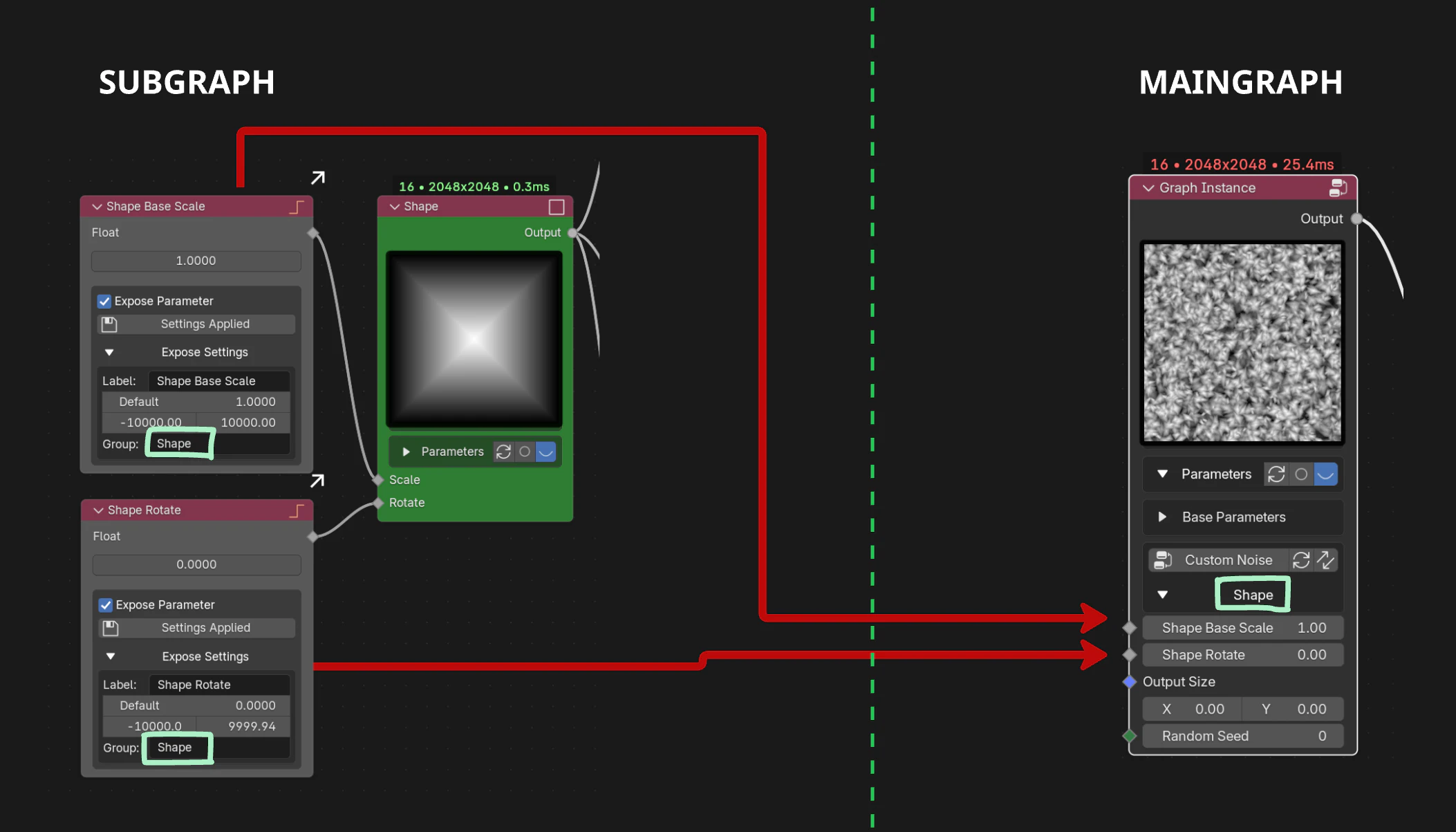
IMAGE Organize related exposed parameters into clear interface groups.